Email Migration Services for Businesses in Dubai
Moving email systems shouldn’t put the brakes on your business. We handle everything quietly behind the scenes: your team keeps working, nothing gets lost, and you wake up the next day with a new email platform that simply… works.

- Business
- IT Projects
Email Migration
Why businesses in Dubai trust GEEKS with their email migration?

No Disruption to Your Workday
Your team keeps working as usual while the migration runs quietly in the background.

Careful Data Handling
We handle your existing emails like sensitive records that must be preserved, not discarded.

Built on Daily Experience
e work with cloud email platforms all the time, so nothing is guesswork.

Easy Platform Transitions
Switching from one email platform to another is something we manage every week.

Planning Built for SMEs
We prepare everything properly, crucial for busy companies that can’t deal with last-minute surprises.

Support When It Matters Most
We stay close after the cutover to help users settle in and fix anything that needs attention.

A good email migration partner prevents disruption from day one.
Start Your Email Migration

What's included in our email migration service?
Here’s the honest version of what happens in real life:
Email migrations sound simple until you see how differently companies use email.
One business has a tidy structure, two shared mailboxes, clean folders, predictable calendars. Another has a decade of messy archives, random rules, signatures imported from five systems ago, and half the team downloading emails onto old laptops.
So, instead of rushing in and breaking things, we start by just understanding you. We talk to the people who rely on specific folders. We ask who uses shared mailboxes and who uses Outlook rules. We check old devices that might still be fetching mail. We look for forwarding loops (you’d be shocked how many companies have these without realizing it).
Then, once we understand the reality, we build a plan. A plan that says when we sync, in what order, which users need help, and how to make the final switch without anyone noticing.
Most migrations happen in the background. Your team keeps working. We quietly test and prepare things until the switch-over time comes. Usually early morning or late evening.
The next day, everything should feel familiar: same emails, same folders, same calendar, same tools, only much more reliable. No emotional damage.
Discovery & Planning
We dig into your system and find everything that could break. If something looks odd, we speak to someone who actually uses it. No guesswork.

Full Mailbox & Data Migration
Emails, folders, old messages, contacts, calendars, attachments, everything moves with checks before and after. You shouldn’t lose a single file.

New Email Platform Configuration
We configure your new environment properly: security, authentication, permissions, policies, and everything else that keeps it stable.

Platform-to-Platform Email Migration
Whether you’re moving from one cloud system to another or from an older hosting service, we make the transition predictable and clean.

DNS, Routing, & Cutover
MX, SPF, DKIM, DMARC, autodiscover: we update everything and test it repeatedly until we’re absolutely certain mail is flowing correctly.

User Help & After-Support
People always need help. We handle setup, syncing problems, mobile devices, signatures, missing folders, weird Outlook behaviors: everything.
Email migration is less about technology and more about keeping your business running smoothly.
Email Migration for Every Business Scenario
Moving from one cloud email platform to another
Request Service
Moving from older server-based email systems
Request Service
Upgrading from basic IMAP hosting
Request Service
Merging multiple domains or teams into a single environment
Request Service
Scaling and needing a modern, secure email system
Request Service
Setting up professional business email for the first time
Request Service
GEEKS' email migration process
We examine everything

We build a plan
We sync quietly

We cut over when nobody’s working

We stay close for the next few days
What Our Clients Say About Their Migration
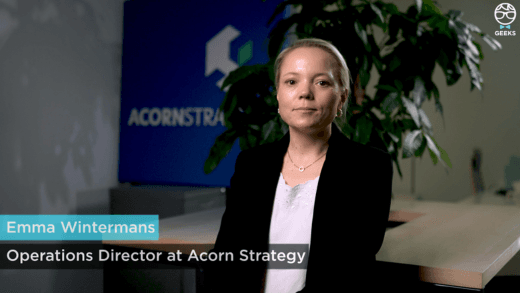
A short real client story about switching to Microsoft 365 without downtime or lost data.
Certifications





Frequently Asked Questions
Here are key questions about our Email Migration solutions in the UAE:
What does your email migration service actually include?
+Think of it as a full handover of your old email environment into a new, clean, modern one, without dropping anything along the way. We look at your entire setup: DNS, domains, mailboxes, weird rules someone created years ago, the 14GB PST files sitting on someone’s desktop, the shared inbox that five people rely on, calendars that sync across departments, everything.
Once we know what we’re dealing with, we prepare the new system and start syncing your data quietly in the background. You don’t stop working. Nobody has to pause their day. When everything is synced, we do the routing switch. This is the moment everything changes behind the scenes.
Then we help people settle in. Someone will always say, “Where’s my old folder from 2017?” or “My phone isn’t receiving mail yet.” We’re there for all of that.
Can you move companies to a modern cloud email platform?
+Yes, this is the most common type of migration we handle. Many companies want to move away from outdated systems to something more secure and more reliable. We don’t just move the emails, we also set up security, permissions, authentication, retention rules, and all the background configurations that keep the platform running smoothly long-term.
Can you migrate from one cloud platform to another?
+Yes, and this requires careful planning because each platform treats folders, labels, calendars, and file-sharing differently. We account for all of that. We move everything; emails, calendars, contacts, files, shared folders and rebuild the necessary structure on the new platform so your team doesn’t feel lost the next day.
Can you migrate us from an old server-based email system?
+Definitely. Some companies still use older server-based email systems that haven’t been updated in years. We handle the entire migration, including archives, shared mailboxes, distribution lists, and historical data.
Choosing the right method: cutover, staged, or hybrid, depends on your environment, and we only decide after reviewing it carefully.
Is zero downtime realistic?
+For most businesses, yes. As long as we can sync your data ahead of time, users won’t feel any interruption. Email keeps flowing, and once everything is ready, we flip the switch when the office is quiet.
Some companies choose a weekend cutover just to be safe, but it’s not always necessary.
Do you configure the new email system after migration?
+Yes, and this part is crucial. A new email platform needs proper security and stability settings. We configure authentication, access policies, spam protection, anti-phishing measures, retention rules, permissions, and the admin structure.
We also help users set up their devices so everything runs smoothly from Day 1.
Can you help small businesses set up email from scratch?
+Of course. We help SMEs pick the right plan, set up their domain, create users, secure the environment, and get everything running. For many small businesses, the main priority is reliability and ease of use. We keep it straightforward.
Can you migrate IMAP hosting accounts?
+Yes. IMAP migrations are common when companies want to move from basic hosting to a more modern email service. We migrate all emails and then rebuild calendars and contacts properly inside the new system, since IMAP doesn’t handle those natively.
How long does a typical migration take?
+Usually somewhere between one and three days for most SMEs. Larger organizations take longer because of the amount of data and the number of users. What matters is that most of the time, your team keeps working normally while we sync everything in the background.
Why do companies choose GEEKS for migrations?
+Because we take time to understand how you actually use email, not the ideal version, but the real one. We don’t rush, we don’t leave things half-finished, and we explain things in plain language. Our ISO certifications give companies confidence, but what really convinces people is how organized the process feels once it starts.